Open Source · Free Forever
The Smartboard Tool
built for modern classrooms
Annotate PDFs, draw shapes, present lessons, and export — all in real time, from any device. No subscription required.
Annotate PDFs, draw shapes, present lessons, and export — all in real time, from any device. No subscription required.
Everything you need
Maples Academy Smartboard Tool replaces physical whiteboards, clunky desktop software, and expensive smartboard subscriptions — in your browser, for free.
Renders PDFs at 2560px equivalent resolution. Quality never degrades on resize or zoom — text stays crisp on every projector and monitor.
Pen, calligraphy, and highlighter tools with smooth Bézier curves, coalesced pointer events, and per-stroke opacity control.
Rectangle, ellipse, triangle, diamond, star, heart, cloud, pentagon, hexagon, octagon, cross, cylinder, parallelogram, and more — each with a live ghost preview while drawing.
Insert a labelled coordinate grid with a single drag. Perfect for maths and science lessons — no third-party charting library needed.
8 font families including handwriting and dyslexia-friendly faces. Custom font size, colour, and multi-line support.
Drag and drop images directly onto the slide or use the image button. Any PNG, JPEG, GIF, or WebP is accepted.
Deterministic annotation history with Ctrl+Z / Ctrl+Y. Every stroke, shape, and deletion is reversible.
All annotations are saved to Supabase in real time. Open the same document on another device and pick up exactly where you left off.
Scan the QR code from any phone to upload documents wirelessly to the active session without email or USB.
One click hides all UI chrome — sidebar, toolbar, page counter — leaving only the slide and your annotations. Ideal for projectors.
Export the entire presentation including all drawings, shapes, and text annotations as a standard PDF with one click from the top bar.
Mouse wheel zoom, click-drag pan, pinch-to-zoom on tablets. Double-click to reset. Ctrl+scroll for precision zoom.
Toggle a dot grid or ruled lines over the slide — helpful for aligned drawing and graph explanations.
A glowing red dot tracks your cursor across the slide during presentations — no physical pointer stick needed.
4-tab settings panel: Canvas, Tools, Document, and View. Rename documents, check annotation stats, configure auto-hide behaviour, and more.
Draggable UI
The floating drawing toolbar can be dragged anywhere on screen with the six-dot grip handle. Double-click the grip to snap it back to the default bottom-centre position.
The separate Shapes & Graph panel is its own draggable floating window — keep it open while you draw shape after shape without re-opening a dropdown.
Ghost Shape Preview
Every shape tool shows a live dotted ghost outline as you drag — matching the exact shape that will be placed on release. A size badge shows the bounding box dimensions in real time.
Lines and arrows preview endpoint-to-endpoint. Freehand strokes render live as you draw. Nothing appears unexpectedly.
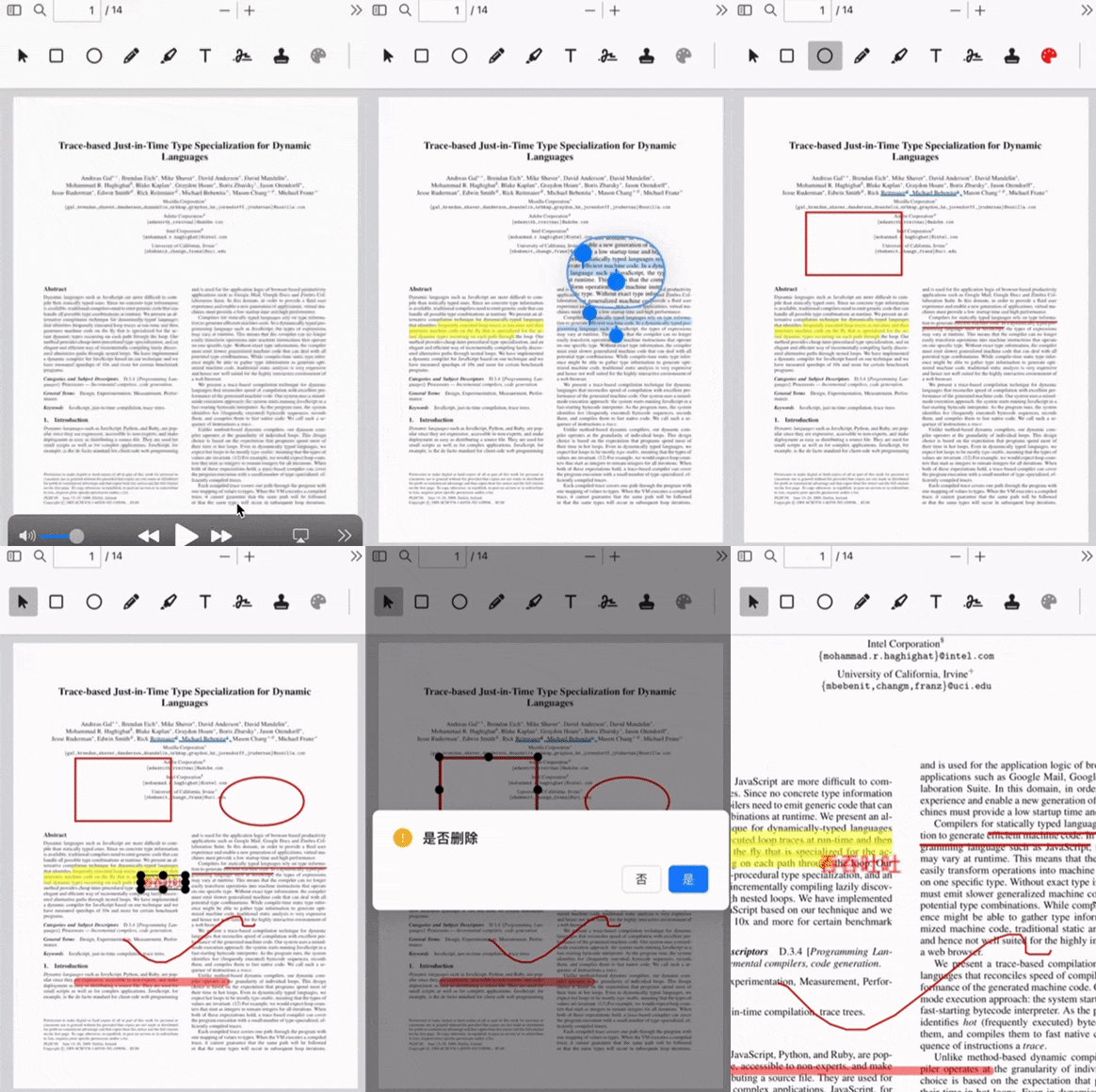
Full tool inventory
25 drawing and annotation tools, all accessible from the floating dock or the shapes panel.
Simple workflow
No training needed. Open the app, load a PDF or start a blank canvas, and teach.
Use Supabase auth for cloud sync and multi-device access, or just run pnpm dev and open localhost:3000 without a backend.
Import any PDF from the dashboard or start a 16:9 blank slide presentation. PDFs render at full 4K quality automatically.
Use the floating toolbar to draw, write, place shapes and text. Hit Present to hide all controls and project the clean slide.
Click Export PDF in the top bar to download the full presentation with all annotations baked into a standard PDF file.
Technology
App structure
| Route | Page | Description |
|---|---|---|
| / | Landing | Entry point — redirects authenticated users to the dashboard. |
| /sign-in | Sign In | Email/password login. Redirects to /dashboard on success. |
| /dashboard | Dashboard | Browse, open, and manage saved documents. Shows recent activity. |
| /viewer | Smartboard Viewer | The main workspace — PDF viewer, annotation tools, present mode, export. |
| /documents | Documents Library | Full list of saved documents with delete and open actions. |
| /upload | Upload Hub | QR code generation for pairing a mobile device to the active session. |
| /upload/:sessionId | Mobile Upload | Mobile-optimised page opened by scanning the QR code. |
| /settings | Account Settings | User preferences and account management. |
| /api/import | Import API | Server route for optional PPT/PPTX → PDF conversion. |
Get started in minutes
Requires Node.js 20+ and pnpm. Clone the repository and install dependencies.
Create a .env.local file with your Supabase project credentials. The app works locally without Supabase — cloud sync and auth require these values.
Apply supabase/migrations/20260912000000_classboard.sql in your Supabase SQL editor, then start the dev server.